GlideCue app icon
GlideCueTeleprompter for macOS

Read naturally · Record cleanly

The teleprompter that follows your voice.

GlideCue keeps your next line ready as you speak—and can ask macOS to leave your presenter notes out of software recordings.

Coming to the Mac App Store$7.99 · One-time purchase
GlideCue following a script in Voice mode

Speak naturally—without chasing a fixed speed. GlideCue keeps the next line ready, even when you pause, repeat yourself, or skip ahead.

No rigid pace30+ languagesOn-device when available
02 / Clean recordings

Your script is for you—not your audience.

Keep Out of Recordings asks macOS to leave GlideCue’s cue and controller out of supported software captures. You keep the words you need; your audience sees the work you meant to share.

Always make a short test capture with your recorder.

GlideCue keeping presenter notes out of a recording
03 / Follow Cursor

Keep the next line close to your work.

Follow Cursor moves the same reading window near your pointer, whether you are demonstrating an app, teaching on a canvas, or working close to the camera.

No Accessibility permission required.

03Product image

Stay focused where you work

Final artwork in preparation
04 / Three scroll modes

You set the rhythm.

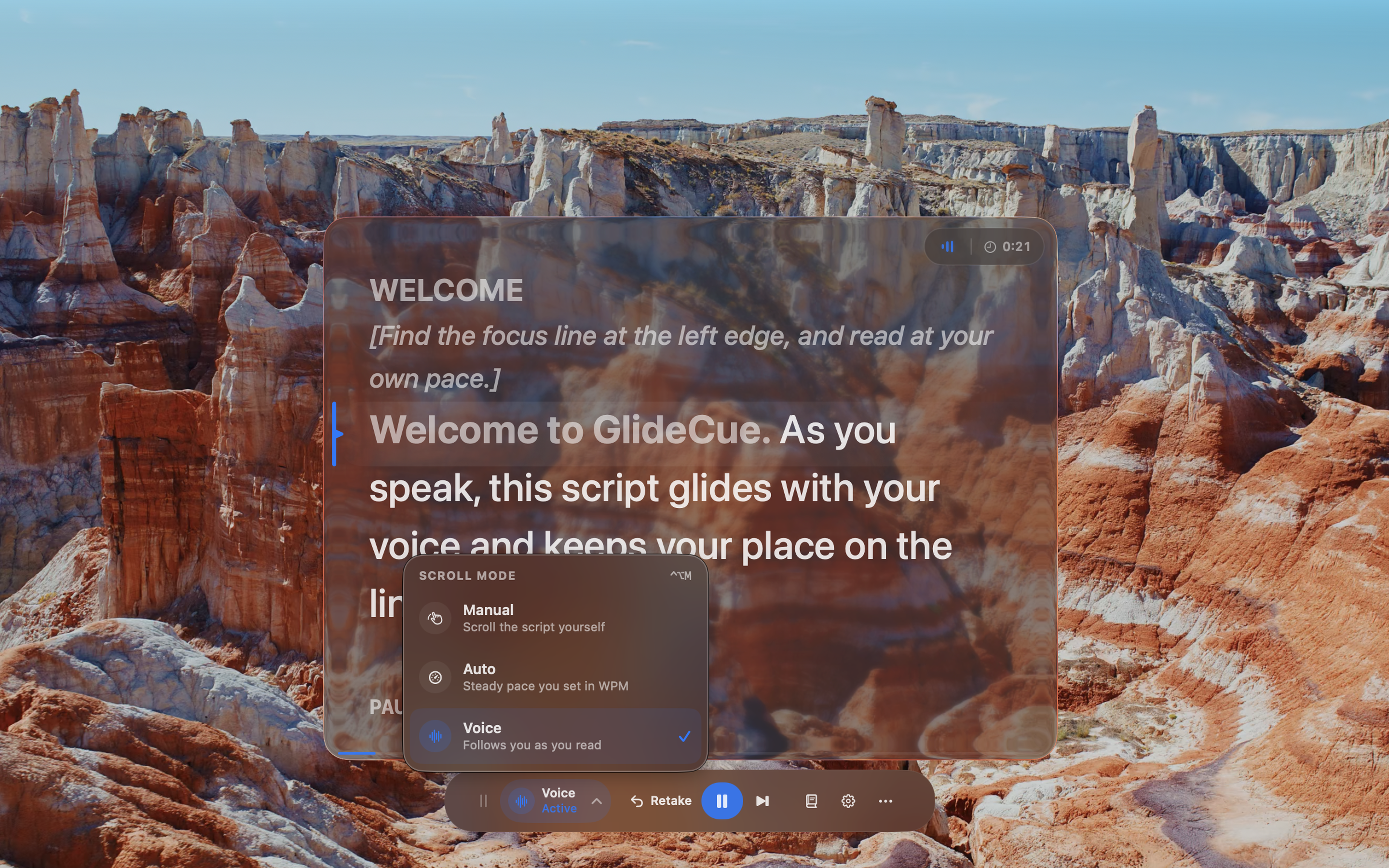
Move the script yourself in Manual, choose a dependable words-per-minute pace in Auto, or let Voice follow what you actually say.

Manual. Auto. Voice.

04Product image

A mode for every delivery

Final artwork in preparation
05 / Script library

From first draft to final take.

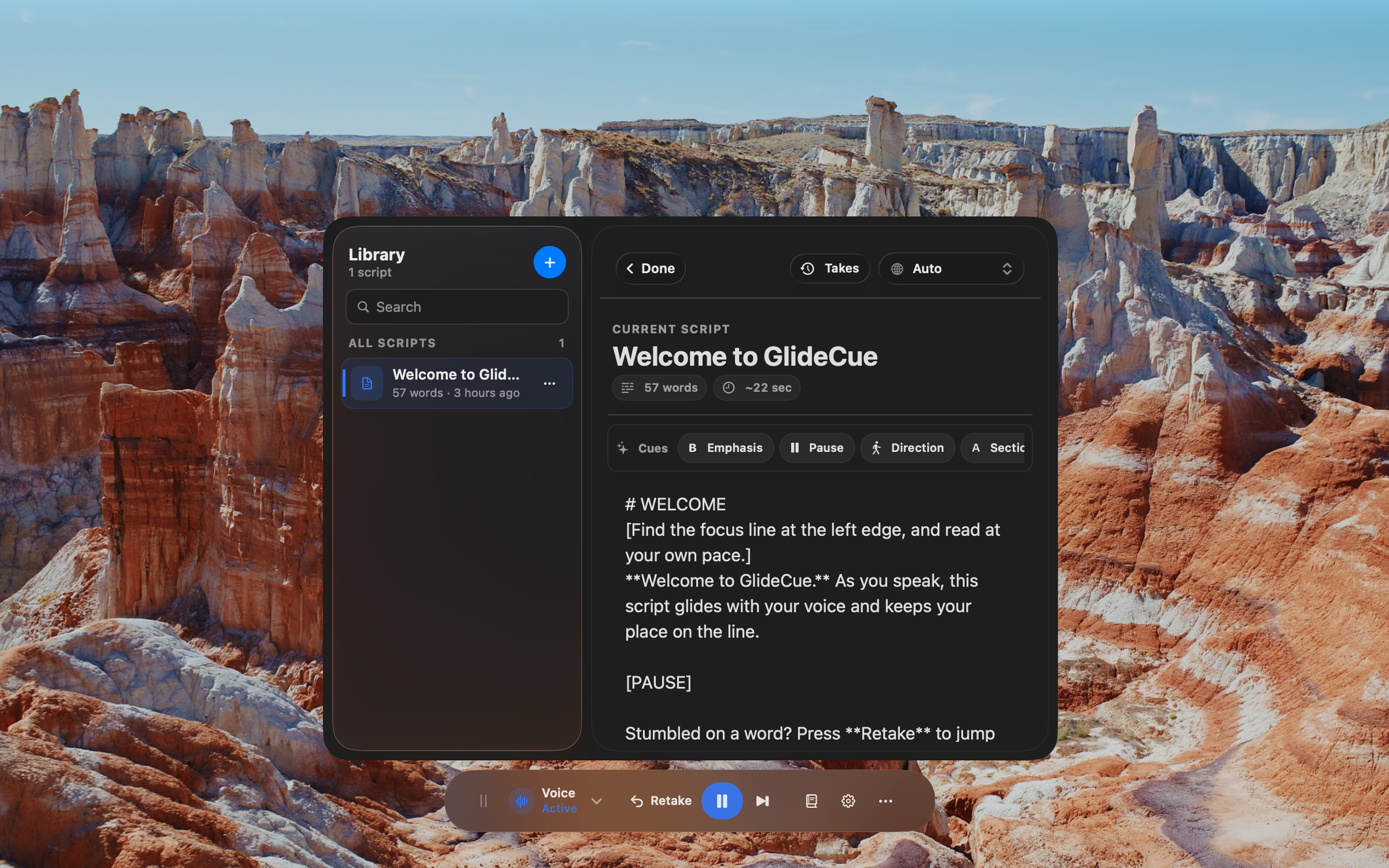
Write or paste scripts, add presenter-only cues, choose a language, and review recent rehearsals. GlideCue remembers where you stopped when you come back.

Your scripts stay stored on your Mac.

GlideCue script library and presenter cues

The complete toolkit

Quiet on the surface. Ready underneath.

Every control exists to help you get through the take without breaking concentration.

01Voice follow

Moves with the words you actually say.

02Auto scroll

Set a consistent pace in words per minute.

03Manual control

Scroll directly with no playback state.

0430+ languages

Per-script recognition and tokenization.

05Presenter cues

Emphasis, pauses, directions, and sections.

06Passage retakes

Return with useful lead-in, not a full reset.

07Follow Cursor

Keep the reading surface close to your work.

08Global hotkeys

Control the take without changing focus.

09Rehearsal history

Review passes and difficult passages.

10Window layouts

Save setups for presenting and recording.

11Light and dark

Choose the appearance that suits your setup.

12Apple silicon + Intel

Built for Macs running macOS 14 or later.

Private by design

Your script does not need an account.

Scripts and rehearsal history stay locally on your Mac. GlideCue includes no developer-operated backend, user accounts, behavioral analytics, or advertising SDKs.

Voice follow uses Apple Speech Recognition. It runs on-device when the offline Dictation model for your language is available.

Read the privacy policy

GlideCue 1.0

Keep your words close.
Keep the recording clean.

$7.99 once. No subscription.

Coming to the Mac App StoreGlideCue support